Buying a Wireless Mechanical Keyboard in Japan
Recently tempted by Amazon recommendations, I picked up a Nuphy Air60 and spent the entire weekend researching mechanical keyboards. Here is a compilation of my thoughts and notes.
Introduction
When diving into mechanical keyboards, people usually start by looking at several key aspects:
- Dual-mode or tri-mode (2.4GHz) support: Dual-mode means supporting both wireless and wired connections (wireless usually means Bluetooth), with Bluetooth having slightly higher latency. Recently, more and more keyboards also support 2.4GHz.
- Hot-swappable PCB support: Many mechanical keyboards now support hot-swapping. This means the switches are not soldered onto the PCB, allowing you to swap switches yourself—a very convenient feature for DIY enthusiasts.
- Switches: Red, Blue, Brown, Yellow, Black, White switches, etc. Currently, I prefer Red, Yellow, and White switches—linear with no tactile bump, and the lighter the actuation force, the better (ideally around 35g).
- This is a fairly broad classification; actual typing feel varies depending on the manufacturer.
- Keycaps: There are many keycap profiles, with Cherry profile probably being the most common. Most keyboards use Cherry profile, but other profiles offer a distinctly different feel. When buying switches, check if they are Cherry MX compatible (with a cross-shaped stem). I like the XDA/DSA profiles; they look rounder and give the keyboard a livelier aesthetic.
- Keycap Material: ABS vs. PBT.
- Layout: By key count, they are mainly divided into 30%, 40%, 60%, 65%, 70%, 80%, and 100%; by physical layout, they are divided into ANSI, ISO, and JIS. JIS is the Japanese keyboard layout, while most users in Taiwan use ANSI.
A quick note on key counts: 30% and 40% only have letter keys, requiring key combos for everything else, which doesn’t fit my use case. 60% to 65% is currently the sweet spot for me. Keyboards of this size usually lack dedicated F1–F12 keys (accessed via Fn combos instead).
My Requirements
- At least dual-mode: Support for Bluetooth and wired connection.
- Hot-swappable PCB, allowing me to swap switches on a whim.
- 60% to 65% Layout: Anything 75% and above feels too large and bulky to me.
The upside of going compact is sacrificing some function keys, but I rarely use them anyway. I’ve realized that the annoyance of a bulky keyboard far outweighs the minor inconvenience of pressing Fn combos for F1–F12. Of course, these preferences vary from person to person—for instance, people who work with numbers all day might consider a numpad indispensable.
Important Note on Buying Keyboards in Japan
If you are looking to buy a wireless keyboard—or any product supporting Bluetooth/Wi-Fi—in Japan, make sure the product has received the Technical Regulations Conformity Certification (commonly known as Giteki / 技適). According to Japan’s Radio Law, products must pass Giteki certification to legally use wireless (radio wave emitting) functions, even if they already have CE certification. While Bluetooth transmission power is unlikely to interfere with radio frequencies, it is still a legal requirement to keep in mind.
Violations can lead to criminal penalties; if caught, you could face fines or even imprisonment.
Wireless Keyboards + 60% Layout
1. Keychron
I’d love to pick one up to play with if given the chance. Keychron has an extensive product line, and the Keychron K6 fits my needs best: it supports hot-swapping, the Pro version allows key remapping via QMK, and it’s reasonably priced. Watching so many YouTube videos about it definitely got me tempted.

2. HHKB Type-C
A keyboard I got two years ago. I really love its layout design and typing feel. Even though it’s an electrostatic capacitive keyboard rather than a mechanical one, I still want to include it on the list as a recommendation. The lack of arrow keys, Caps Lock functioning as Ctrl, and a lower price-to-performance ratio are all factors to consider before buying.

3. Nuphy Air60
The new keyboard I recently purchased.

I initially spotted this keyboard on sale on Amazon at a really good price and figured I’d give it a shot. I ended up falling in love with it immediately. I found out that I actually really like low-profile switches, and the typing feel is fantastic. With a 60% layout combined with low-profile switches, the entire keyboard looks even sleeker, weighing only 482g—perfect for tossing into a backpack on the go. This mechanical keyboard features RGB backlighting, but to me, LEDs are just power-draining lights, so I keep the backlighting turned off.
One slightly annoying detail: the shortcut to cycle RGB effects is Fn + ←, and Fn sits right next to the arrow keys, making it very easy to trigger accidentally—and suddenly the LEDs light up!
4. Nuphy Halo65
I love its design—the wavy wave pattern treatment along the bottom and sides of the case looks very vibrant! It also packs keycap silicone, PCB silicone, bottom silicone, and spacebar silicone dampening inside, which works wonders for reducing typing noise. I bought the Red switch version; it’s not overly loud, so bringing it to the office won’t get you dirty looks from coworkers.
Later, I swapped the switches for Yushakobo Fairy Silent Linear Switches, which are custom-tuned from the Kailh Midnight Silent V2 Switch / Linear.
The result is phenomenal! The typing sound is deep and muted. Only after trying it did I realize a mechanical keyboard could achieve a typing experience so similar to an HHKB. If you like a lightweight (35g) keystroke, you’ll probably love this switch. Forget about the office—you could probably even bring it to a library.
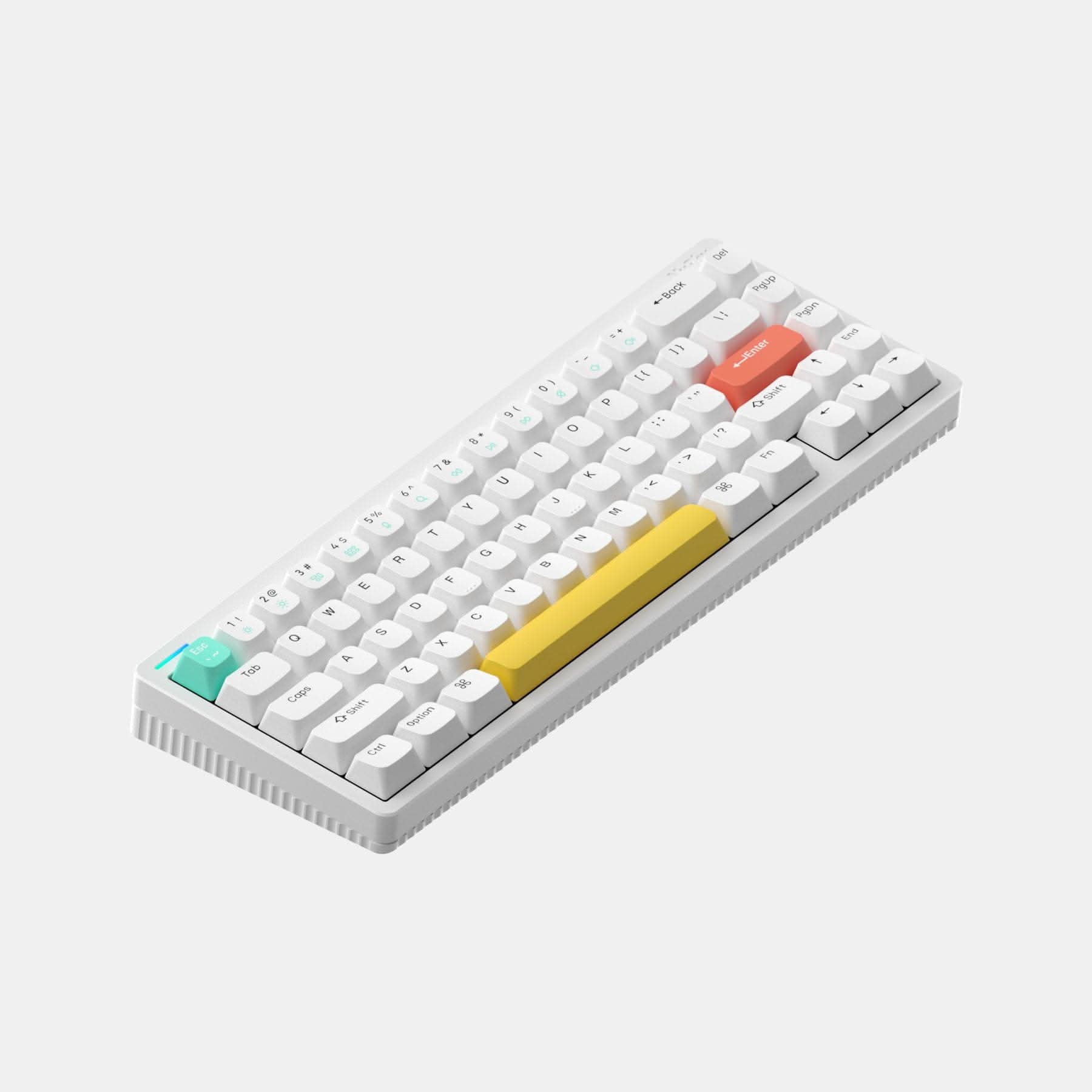
5. YUNZII YZ68
The mint green colorway looks great. I really like the touch and sound of the Yellow switches on this board.

There are also mechanical keyboards from major brands like CORSAIR, CHERRY, FILCO, and Logitech. I previously used the FILCO MINILA Air. It’s just a pity that it wasn’t hot-swappable, and back then it used Bluetooth 3.0 and could only pair with a single device.
Switches of Interest
As mentioned earlier, I prefer lightweight and silent switches. Here are a few that caught my interest:
- Yushakobo Fairy Silent Linear Switch: Mentioned above—if you like a light touch and silence, you definitely have to try this!
- Durock Silent Linear Dolphin
- Gateron Silent Clear
- Gateron Ink v2 Silent Black
- Kailh Box Silent Pink: Previously sold at Yushakobo, but now discontinued. You can only look for used ones or pay a premium to resellers.
- Gateron Milky Yellow: 50g is a bit on the heavy side for me, but judging from sound tests on YouTube, when properly lubed/tuned, they sound wonderfully creamy and addictive.
- Graywood Switch v3: Quite famous in the keyboard community. I quite like its keystroke feel and sound, and with an actuation force of 40g, it isn’t too heavy.
Typing feel and sound are highly subjective. I’d still recommend looking up sound tests on YouTube or buying a small batch of switches to try out before making a decision.
Keycaps of Interest
Recently, I came across Osumekeys, a site dedicated to keyboard peripherals. Their keycap colorways look gorgeous, and the illustrations are super cute—it really makes you want to buy them. Matcha, Tsukimi, and Winterglow all look great.
The more well-known names in the keyboard community are probably GMK and NicePBT. Keycaps from these two brands are pricey, but their build quality is exceptional.
Conclusion
Beyond off-the-shelf mechanical keyboards, you can also buy cases, PCBs, switches, and keycaps separately to solder and assemble yourself. That rabbit hole goes even deeper. Currently, there are also kits providing just the case and PCB, leaving the rest for you to assemble. Many overseas group buys favor aluminum cases with brass/steel weights on the back—that premium feel is something mass-market retail boards can’t replicate, though the downside is a considerably higher price tag.
Related Posts
- How to Prepare for Software Engineering Interviews Preparing for tech interviews has always been challenging. One of the most frustrating parts is the heavily one-sided power dynamic. As a candidate, it's hard to gauge their actual standards, and it's easy to spiral into self-doubt afterward. Let's talk about it.
- Words That Changed My Outlook on Life Feynman, Chaplin, and the movie Hyakumeter: from an insecure boy to someone capable of helping others, sharing the reflections and life philosophies that shaped me most.
- N Benefits of an Independent Website Why spend time running your own blog in an era dominated by short-form video and social media? Here are my thoughts after nearly a decade of blogging.
- Reflections on Fitness and Weight Training Sharing my thoughts and journey with weight training over the past period.