Better Express error
# Dev NoteBetter-express-error
When developing with Express, encountering errors usually results in them being displayed directly on the error page or redirected to a 404 or 500 page in production.
While this might not seem like a big deal, let’s be honest—does seeing such pages make you happy?
Engineers familiar with Ruby on Rails have likely used better_errors or the built-in error trace page in Rails for debugging.
However, in Express, there hasn’t been a package similar to better_errors, often leaving developers to face these ugly error messages with despair.
So, I decided to create a simple middleware to handle this. Essentially, it’s an Express implementation of better_errors.
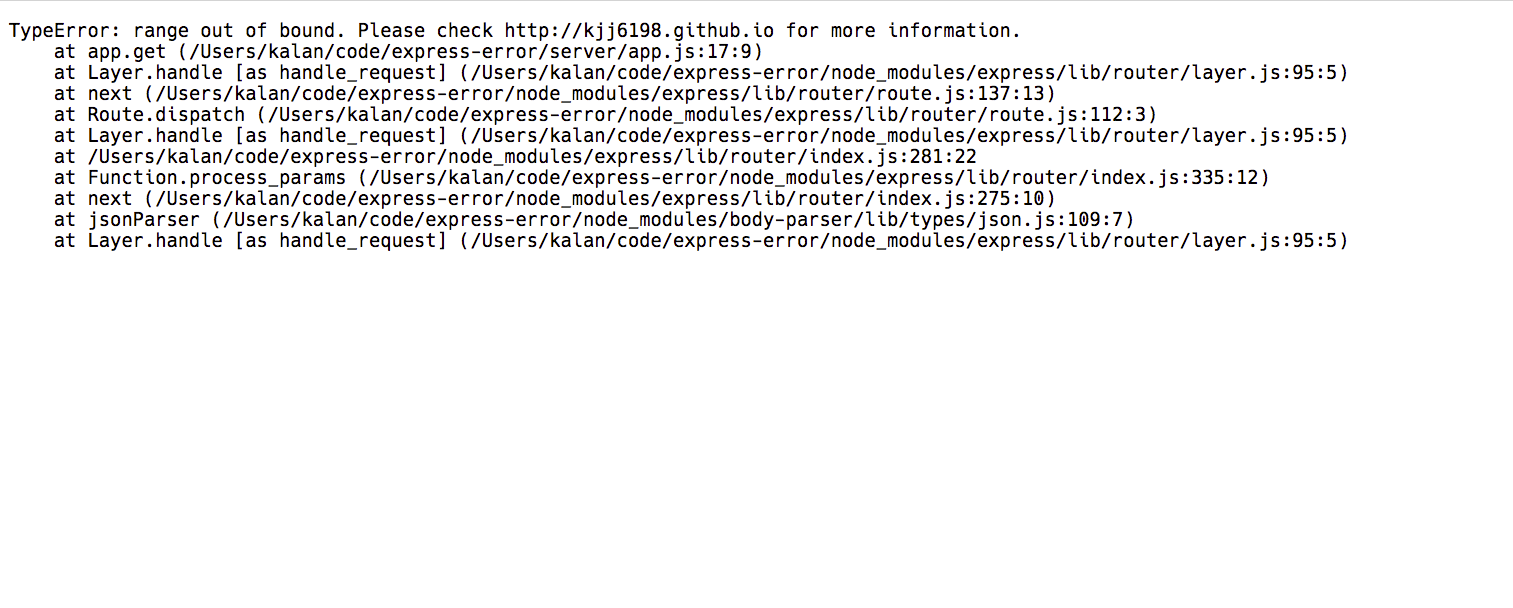
Analyzing Error Messages
TypeError: range out of bound. Please check http://kjj6198.github.io for more information.
at app.get (/Users/kalan/code/express-error/server/app.js:17:9)
at Layer.handle [as handle_request] (/Users/kalan/code/express-error/node_modules/express/lib/router/layer.js:95:5)
at next (/Users/kalan/code/express-error/node_modules/express/lib/router/route.js:137:13)
at Route.dispatch (/Users/kalan/code/express-error/node_modules/express/lib/router/route.js:112:3)
at Layer.handle [as handle_request] (/Users/kalan/code/express-error/node_modules/express/lib/router/layer.js:95:5)
at /Users/kalan/code/express-error/node_modules/express/lib/router/index.js:281:22
at Function.process_params (/Users/kalan/code/express-error/node_modules/express/lib/router/index.js:335:12)
at next (/Users/kalan/code/express-error/node_modules/express/lib/router/index.js:275:10)
at jsonParser (/Users/kalan/code/express-error/node_modules/body-parser/lib/types/json.js:109:7)
at Layer.handle [as handle_request] (/Users/kalan/code/express-error/node_modules/express/lib/router/layer.js:95:5)
Upon careful observation, we can see that the format of the error message is quite orderly. The first line contains the error name and message, which is usually the most crucial information. The following lines represent the call stack. The at ... denotes a function call, with the file name and line number in parentheses.
After briefly analyzing the error message, we can convert the plain text into more useful information. By using split('\n') and applying simple regular expression matching, we can separate the file name and line number information.
Displaying Errors
The first line of the error message typically contains the most important information, as that’s where the code has failed. Therefore, we’ll place this first line in a prominent position and highlight it.

For the lines following the first, we’ll use color and size to highlight the file name, line number, and function name.
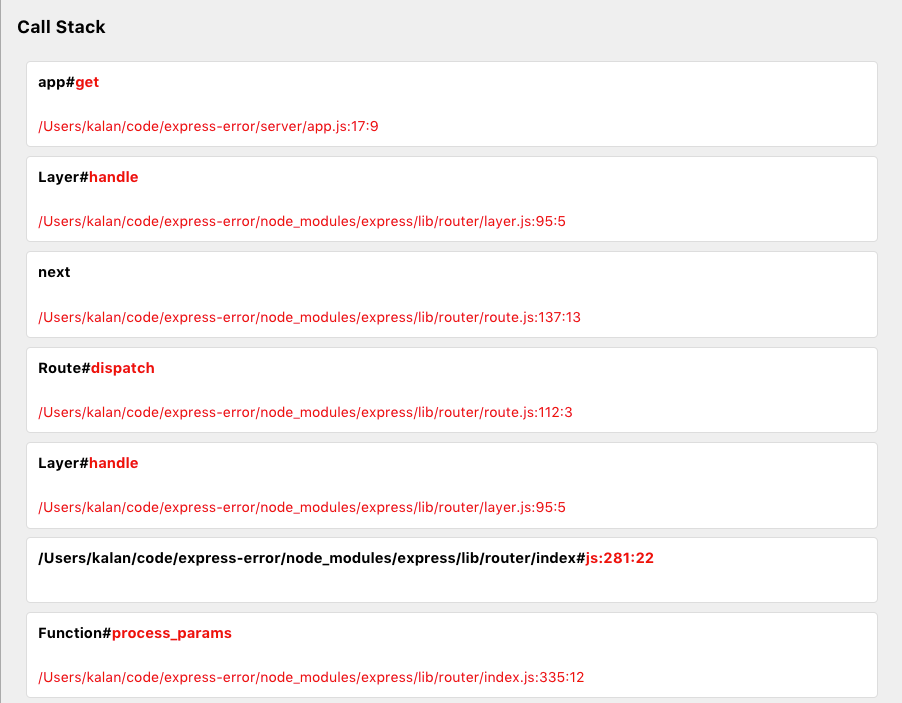
Compared to the earlier dense block of text, this simple formatting allows developers to quickly grasp what has gone wrong.
Displaying File Content
In addition to showing the error message, we also want to display the corresponding file content and its context. Therefore, the right side of the page can utilize the file name and line number provided in the error message to display the relevant file content.
For Node.js, this can be easily accomplished using fs.readFileSync.
function(filename, line, row) {
  const content = fs.readFileSync(filename);
  content.toString()
  	.split('\n')
  	.slice(line - 5, line + 5)
  	.map(content => `<span>${content}</span>`)
  	.join('\n');
}
Here, we simply print the five lines before and after the error line. A more sophisticated approach would be to use techniques like AST to print only the relevant function content. However, for now, we will print the five lines surrounding the error.
With some adjustments and modifications, it looks like this:
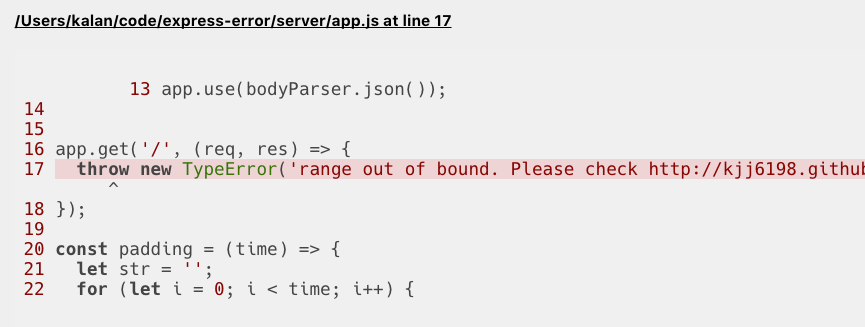
Through simple highlighting, developers can quickly identify where the error occurred.
REPL
Beyond displaying errors, we want this page to allow users to input simple code snippets to verify issues and make real-time code modifications.
In Node.js, there is a VM module that allows you to execute given code within V8’s Virtual Machine contexts. With this module, we can implement a REPL-like feature!
const debugContext = vm.createContext({
  request: req,
  response: res,
  util: require("util"),
  Buffer: require("buffer").Buffer,
  stream: require("stream"),
  console: {
    log: util.format,
  },
  clear: "",
})
By passing the variables we want to expose into the context, we can conveniently achieve debugging through a POST request that reads the front-end code.
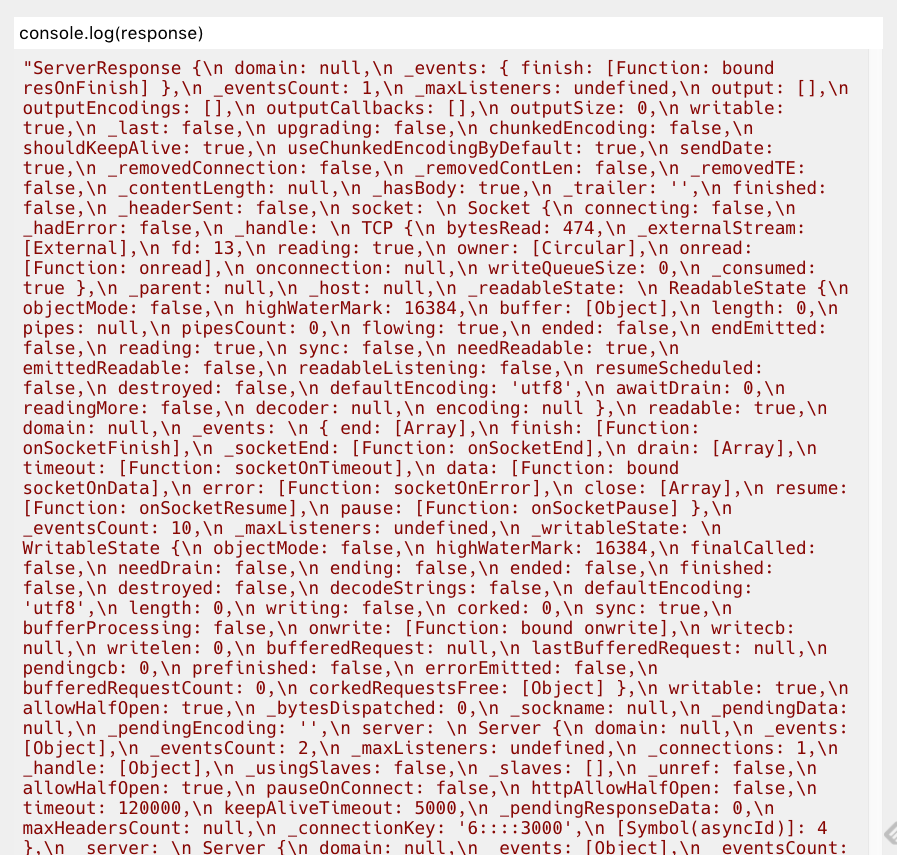
(Note: Some adjustments are still needed)
Full Integration!
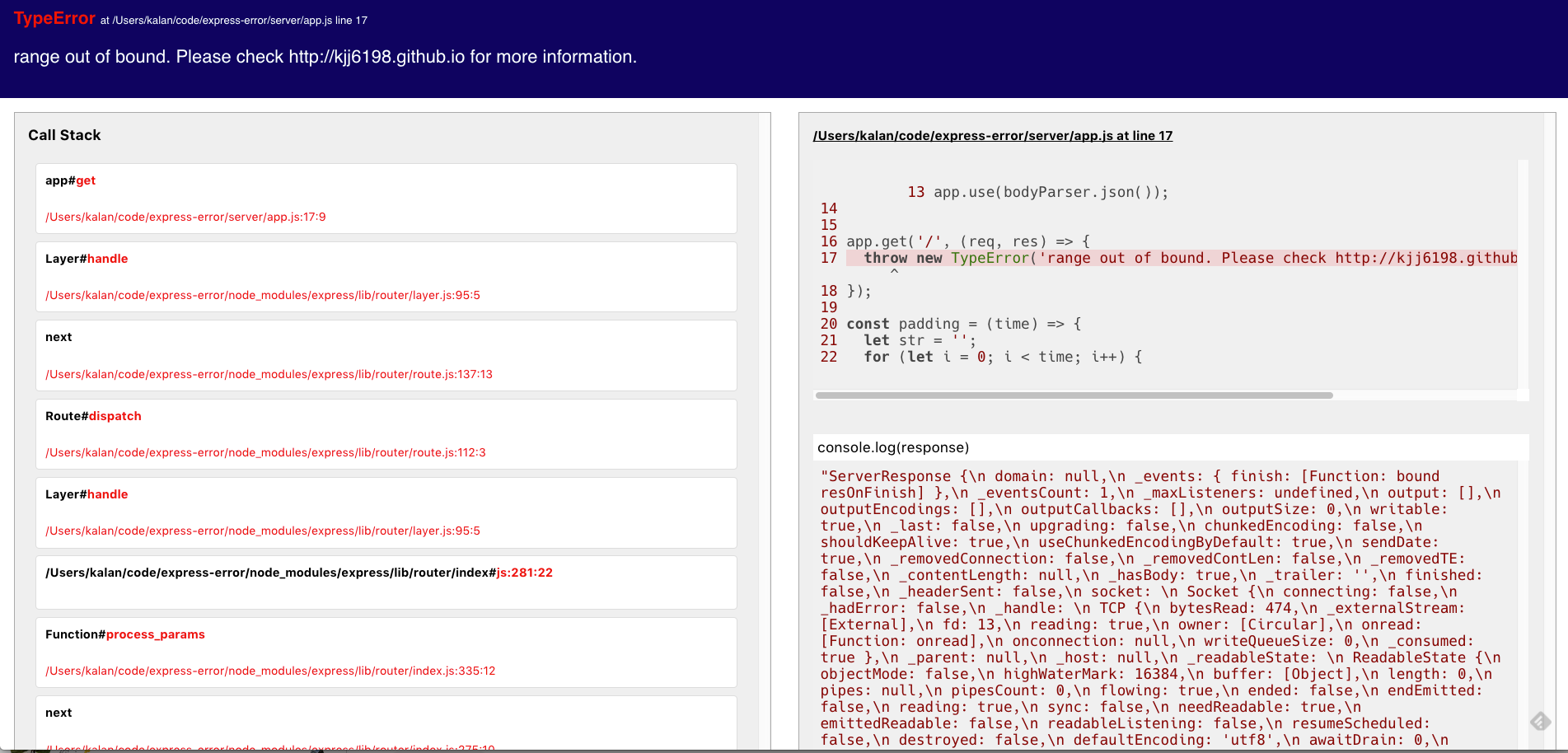
After full integration, the page will look something like this.
Compared to the original plain text, although it took some effort to adjust the page style and implement the REPL feature, the debugging process has become much smoother.
Conclusion
The complete implementation can be found in this repository. I plan to gradually refactor the implementation into middleware for easier use. Additionally, I will optimize the entire layout and code highlighting to make the overall process and interface even smoother. Although I’m not sure how long this will take, XD
If you have any suggestions, feel free to open an issue!
Related Posts
- Stop Using Access Keys AlreadyAccess Keys are an easily overlooked security risk on AWS. Use OIDC with IAM Roles so GitHub Actions can securely access AWS resources without any secrets.
- Database Primary Keys: AUTO_INCREMENT, UUID, and UUIDv7Backend developers often have to decide on a primary key: auto increment or UUID? What about collisions? How much faster is UUIDv7 compared with created_at + index? After benchmarking 20 million rows and looking at the design trade-offs, this post gives you the answer.
- Sharing My Experience with ZeaburIndependent developers often choose platforms like Vercel for deploying their services. However, when more advanced requirements arise, such as database connections, Vercel can become less convenient. Additionally, the pricing of typical cloud service providers can be quite expensive for solo developers. In this article, I’ll share some insights on using Zeabur and highly recommend it to everyone!
- Keyboard Enthusiast's Guide - Firmware EditionThis article is part of the IT 2023 Ironman Competition: A Beginner's Guide to Keyboards - Firmware Edition.